The Time Capsule
Sealed tonight. Opened on day 30.
On day one you make a message to your future self: on video, by voice, or in writing. We recommend video. It is sealed until day 30.
In every plan. At launch: 3 days free, then from $12.99 a month, plus tax. Renews automatically every month until you cancel. Cancel anytime in your phone's store settings.
90 sec
Video, voice or writing
1 hour
To take it back
Day 30
It opens, even after a slip
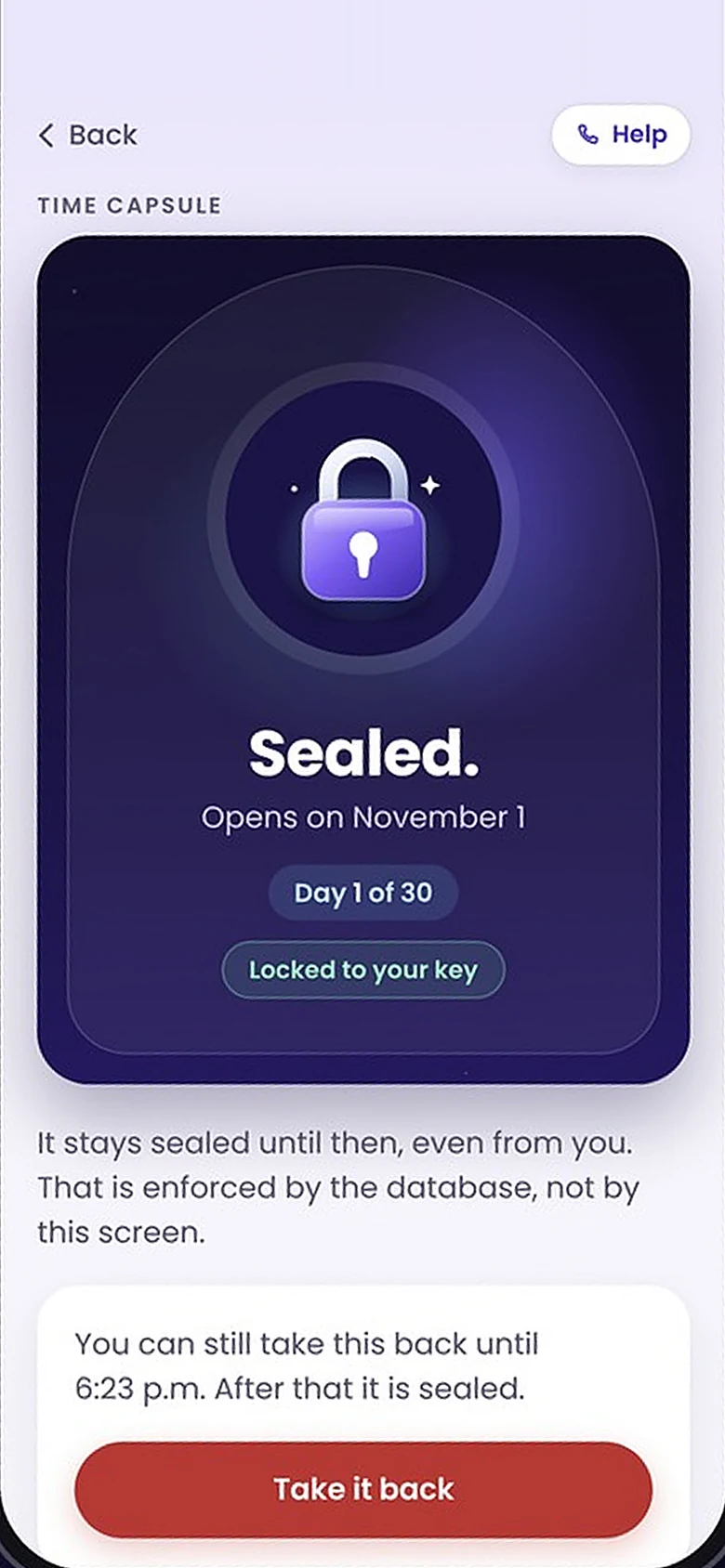

Sealed
Opens on day 30
Private
In transit and at rest
Day one
Ninety seconds, one take.
You record your capsule from a card on your home screen, when the decision is newest. Here is every screen, as you will see it.
01
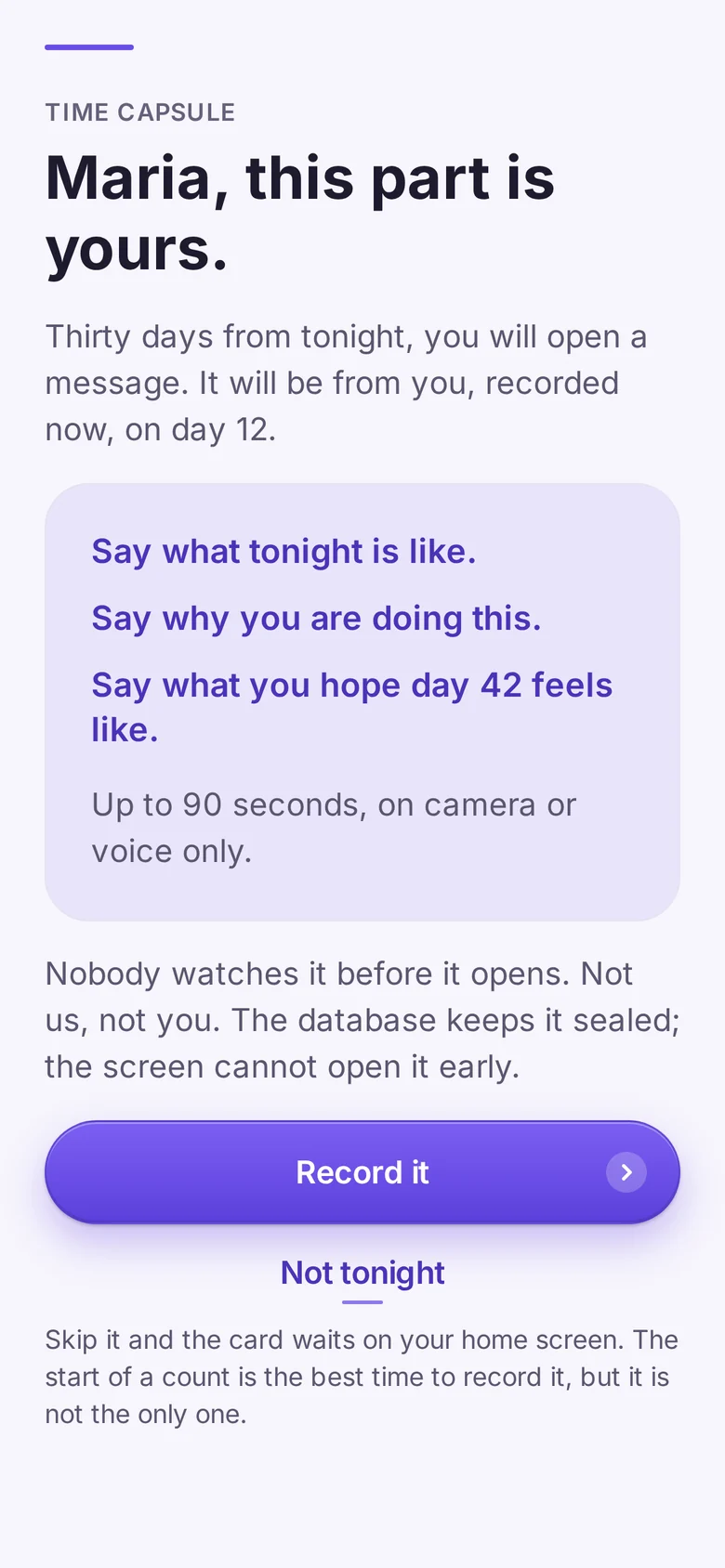
This part is yours.
Thirty days from tonight, you open a message from you, recorded now. Say what tonight is like, why you are doing this, and what you hope day 30 feels like. Not ready? The card waits on your home screen.
02
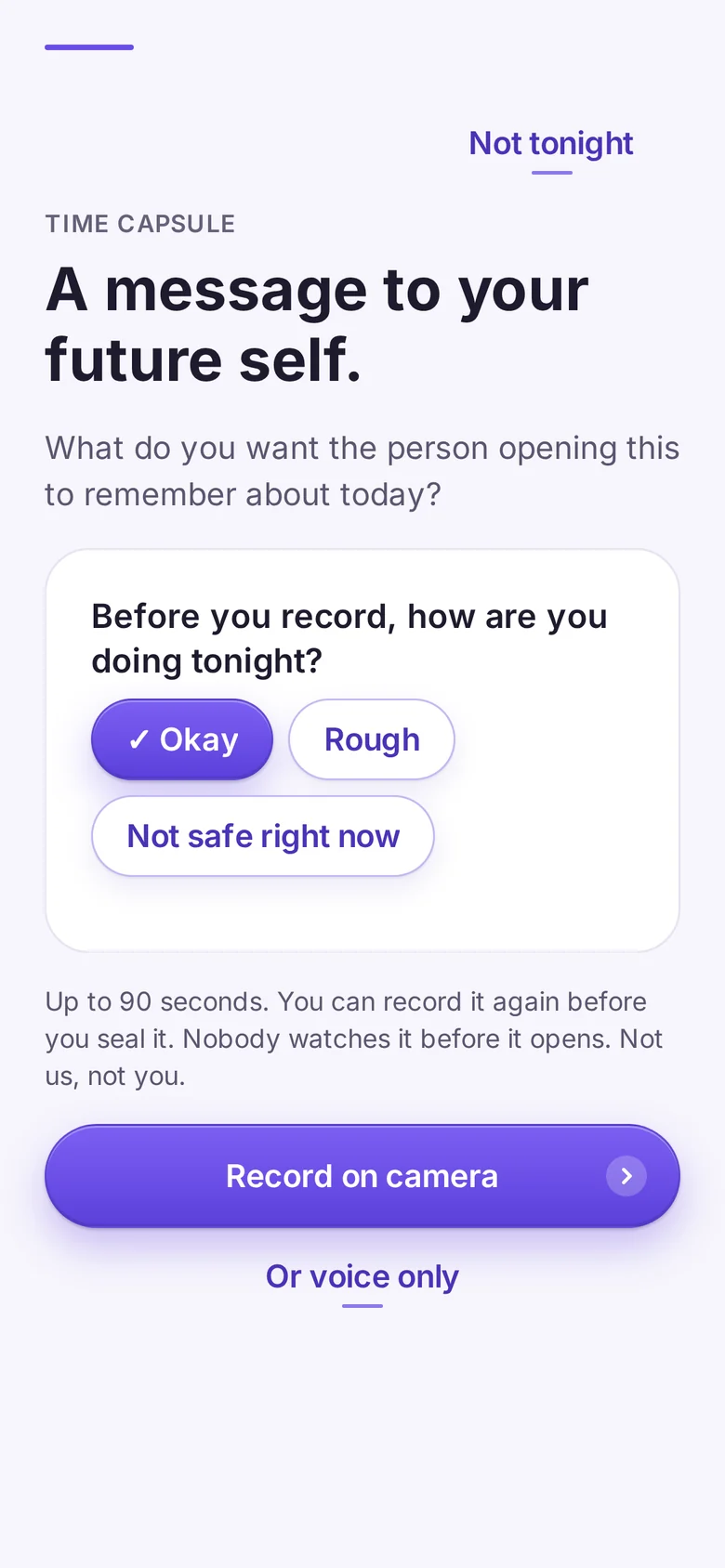
How are you doing tonight?
One short check before you record: okay, rough, or not safe right now. If tonight isn't safe, the capsule can wait, and 988 is one tap away.
03
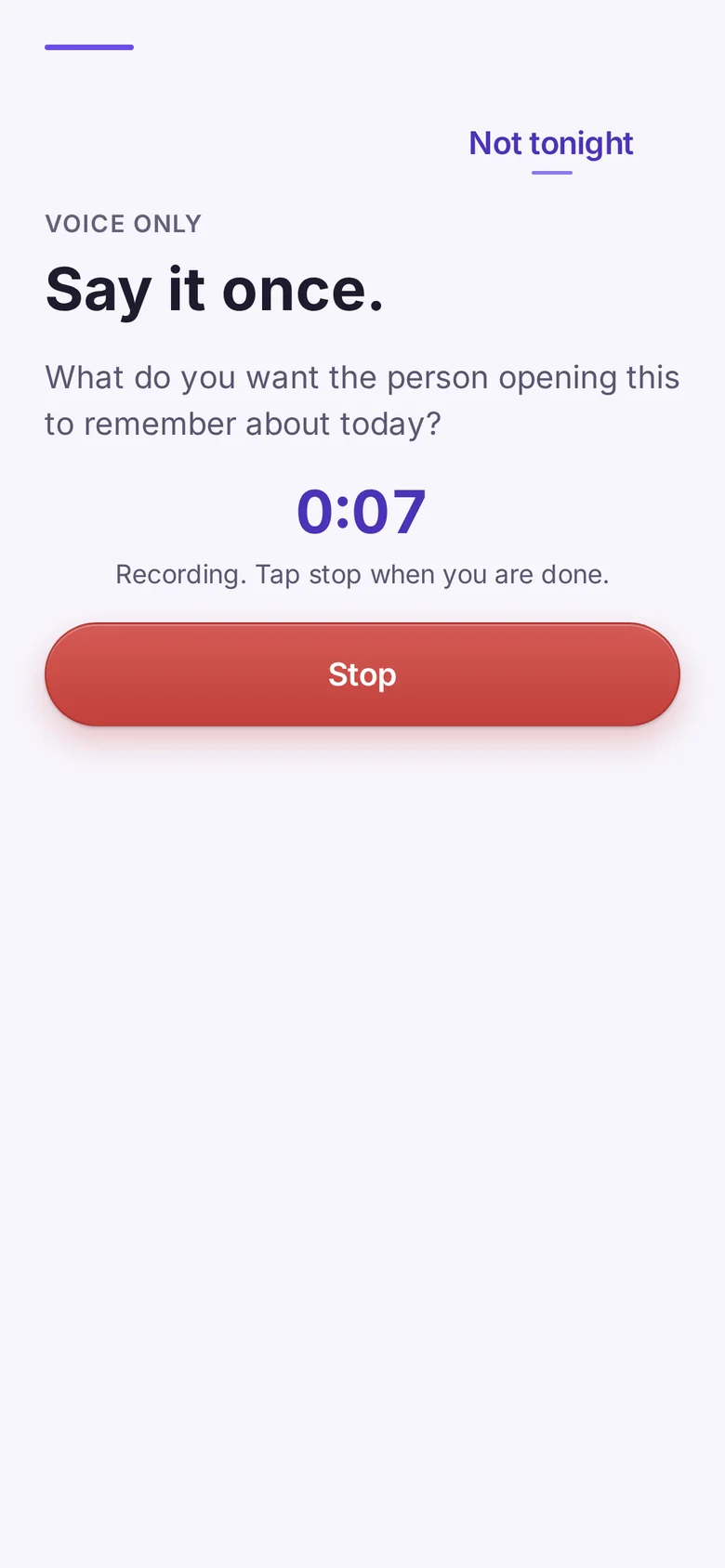
Say it once.
Up to 90 seconds on video or voice, or a letter in writing. We recommend video. Just you, tonight, in your own words. Tap stop when you are done.
04
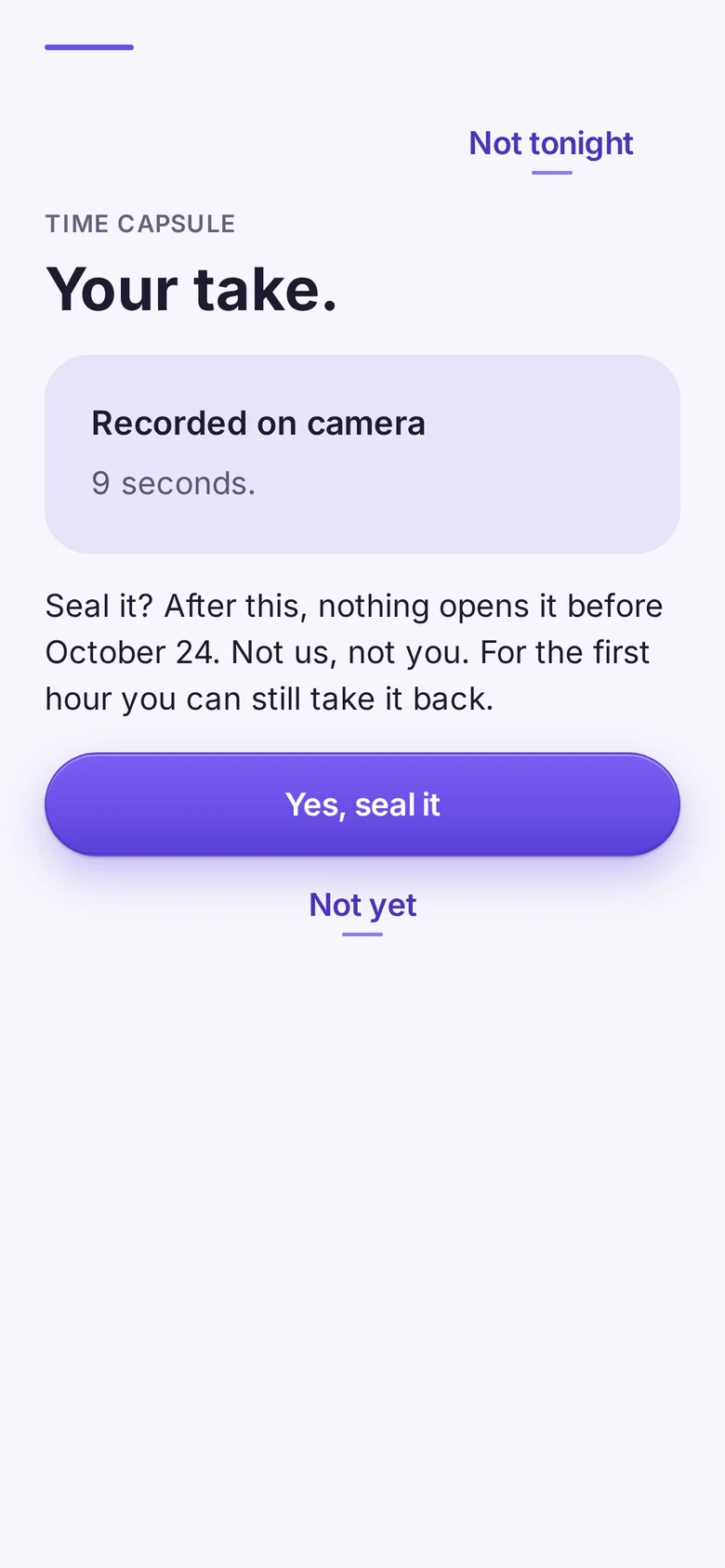
Your take. Seal it?
You see what you recorded and how long it is. Seal it, or not yet. Once it is sealed, nothing opens it before its day, not even you.
05
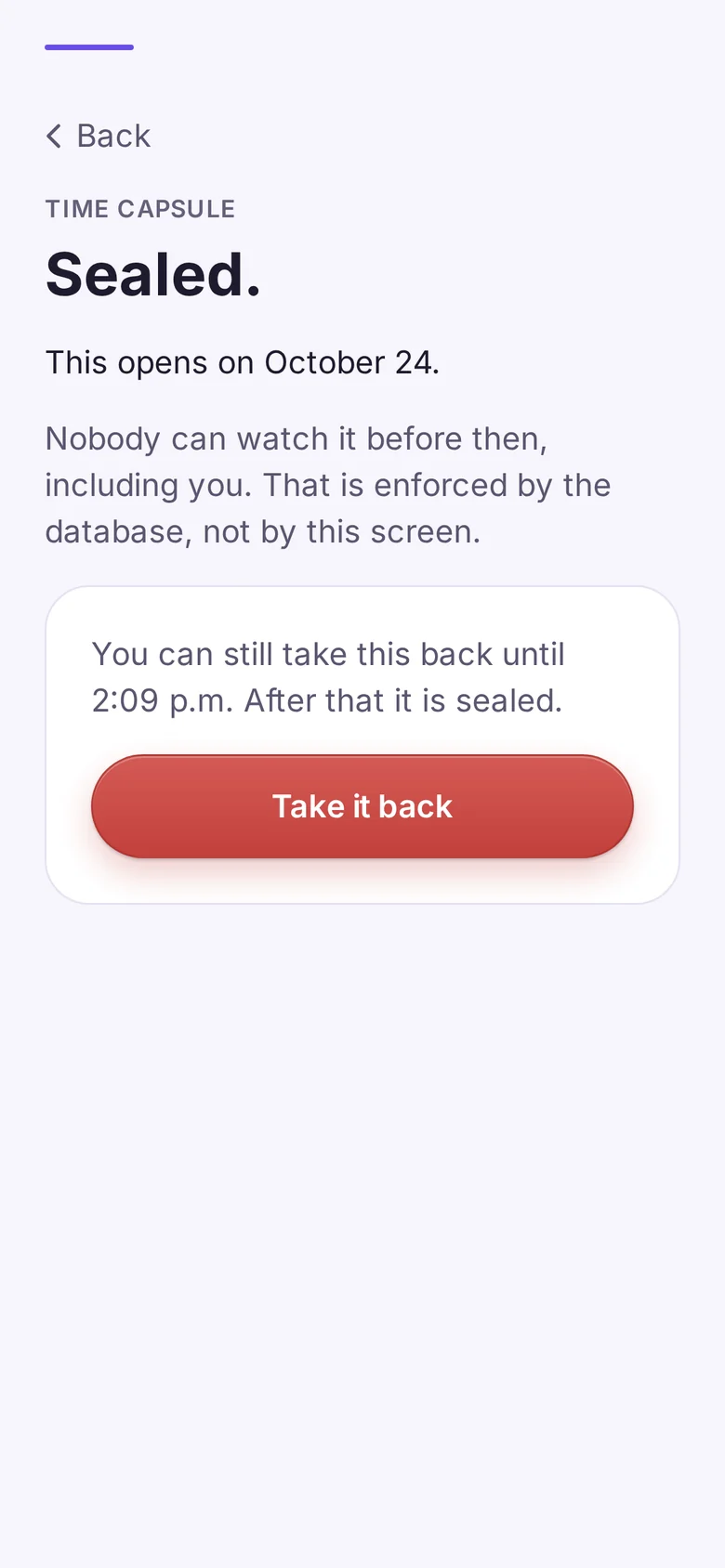
An hour to change your mind.
For the first hour after sealing, you can still take it back. After that, it stays sealed until the day it opens.
06
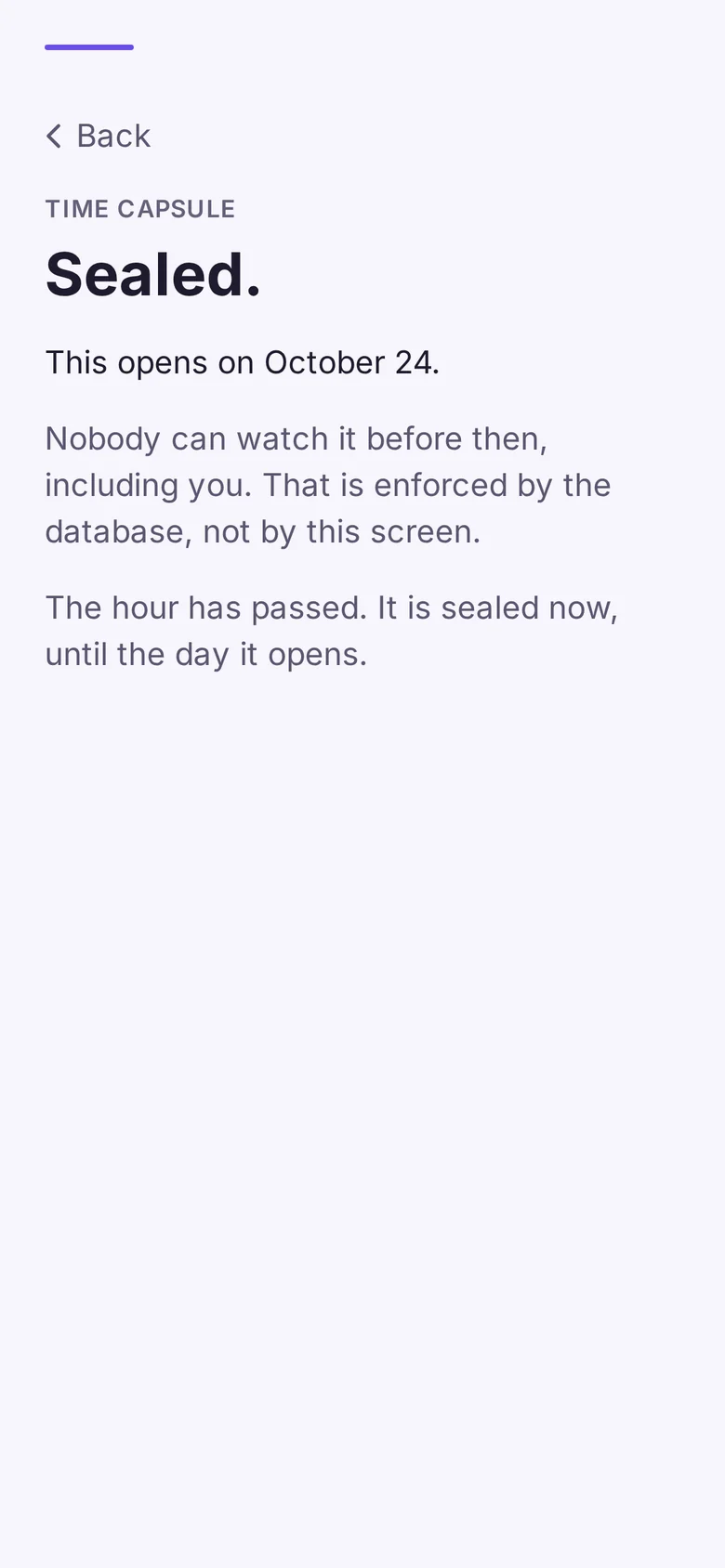
Sealed.
The hour has passed. Your capsule waits on your home screen with its opening date, and it can't be opened before then.
How the seal works
Two locks at launch. We only ever hold one.
Your capsule is yours. It's never used for ads or sold, and it never reaches the AI. And the seal on our side means even you can't open it before its day.
1
Private by design.
It's never used for ads or sold, and it never reaches the AI.
Keeps us out, at launch
+
2
Sealed until its day.
The seal is a rule in the database, not a lock on a screen. No link, support request or edited app can open it early, and that includes you.
Keeps it for its day
At launch: two locks, and we only ever hold one. And the recording never reaches the AI.
The seal
A rule, not a lock on a screen.
Most apps hide things behind a screen. Your capsule is held back by a rule in the database, so before its day the answer is no: for you, for a link, and for our support team. At launch, it's also locked with your key, so even a court order gets only the locked file and its dates.
- It stays sealed until its day.
- The date is fixed in the time zone you sealed it in, so changing your settings later never moves it.
- A slip never takes it away, and neither does ending your plan. It opens as long as your account exists and we still offer Free and Sober. At launch, playing it takes your key, so keep your recovery key safe.
- At launch, a notification arrives the morning it opens.
Who can open it before day 30?
You, on day 12
Tapped See it
Not yet
Our support team
At launch, it's also locked with your key, which we can't see or use
Refused
A shared link
Sent to anyone
Refused
An edited copy of the app
Asking the server directly
Refused
You, on day 30
The morning it opens
It opens
Checked on our side, against the date in the time zone you sealed it in.
Day 30
The morning it opens.
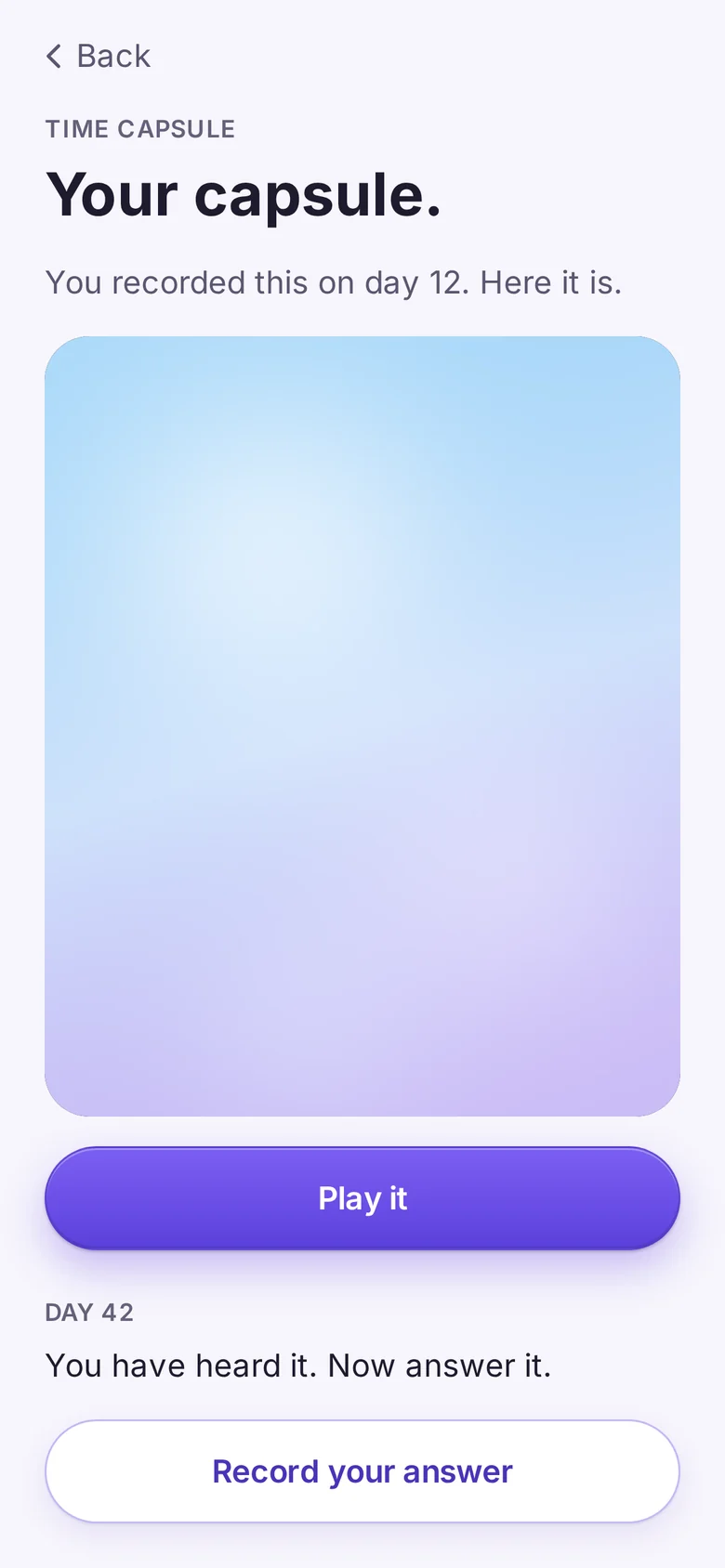
The milestone comes first, then your capsule. You recorded this at the beginning, and here it is. Hear it, then answer it.
1
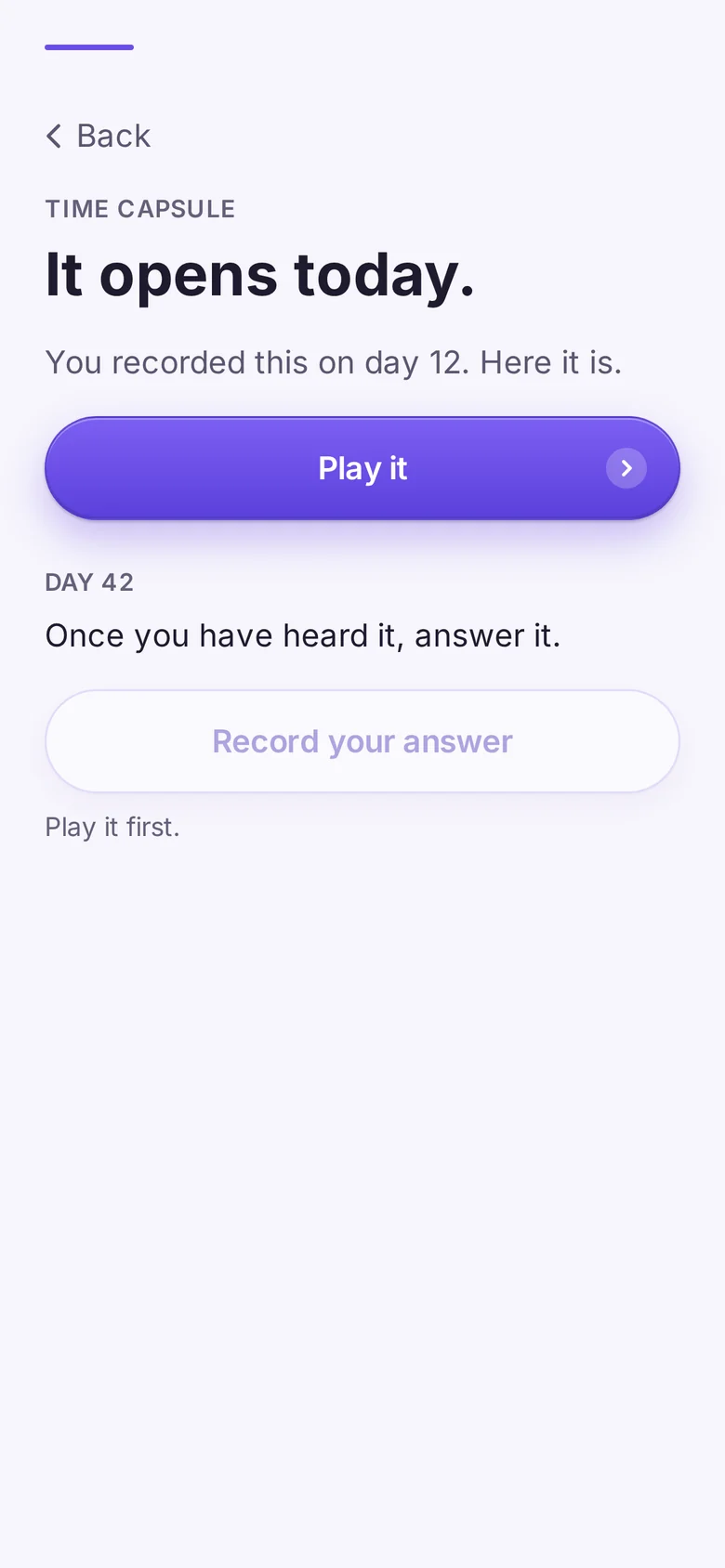
It opens today.
Your capsule waits on your home screen. Open it when you are ready.
2
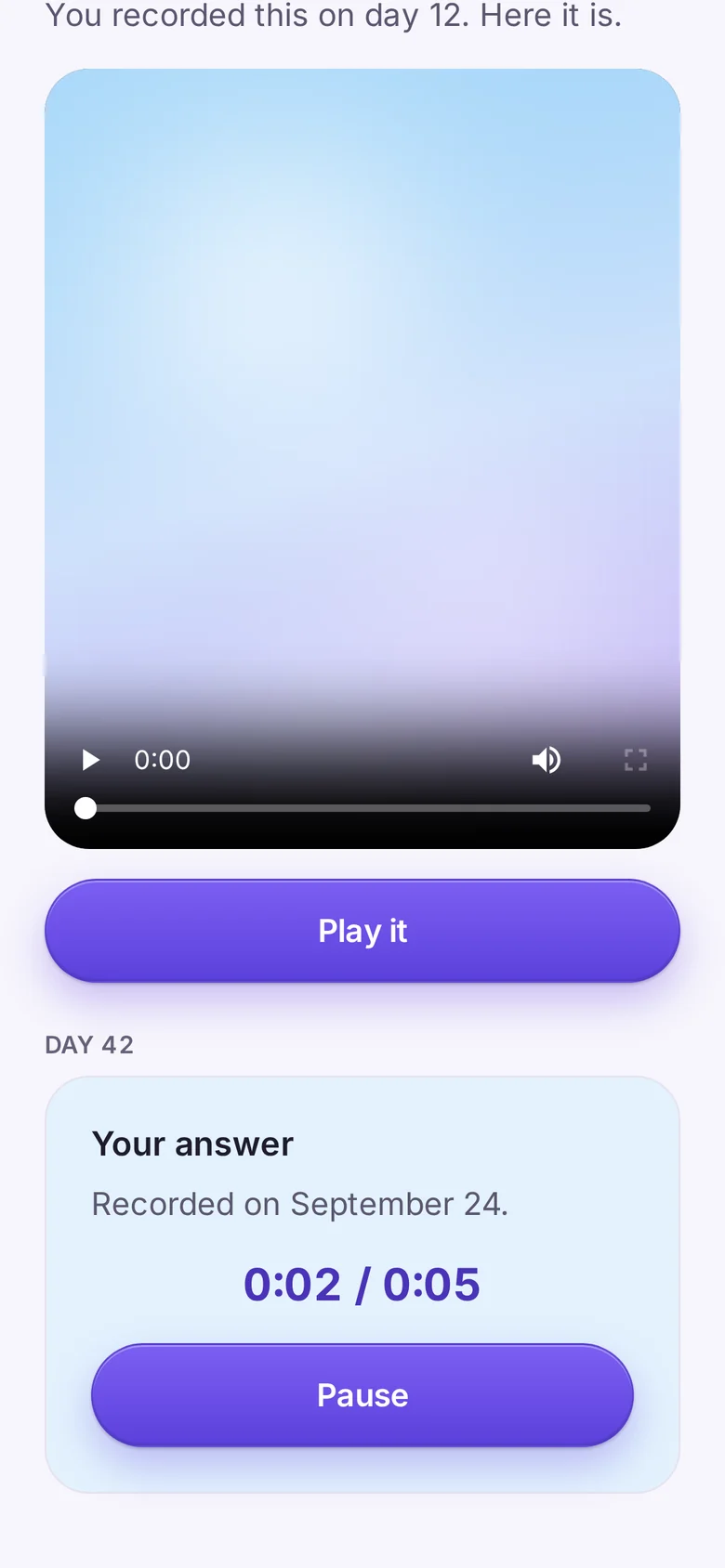
Hear yourself.
The person who started this, speaking to the person who made it.
3
Answer it.
Record your answer. It sits next to the message it answers, and it is yours to keep.

New
Then record the next one. And the next.
After your first capsule, record another and pick the day it opens: day 90, a year, a birthday, any date that matters to you. Plus and Premium hold up to 3 sealed at a time, Essentials 1, and each one that opens makes room for the next. Together they become an archive, from you, to you.
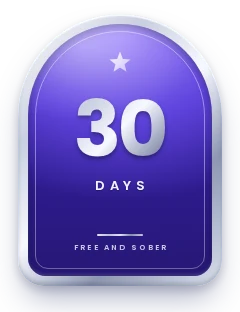
Day 30
Opened
Your first capsule.
The one you recorded on day one. Heard, and answered.
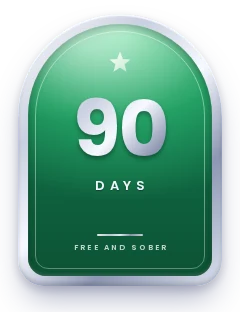
Day 90
Opened
Three months in.
Recorded the day your first one opened.
One year
Sealed
Your first year.
What you would want to hear on the other side of it.
A birthday
Sealed
Yours, or theirs.
A day that already means something.
Any date
Sealed
The day that matters.
An anniversary, a new job, a first day somewhere new.
Every capsule keeps the same promises
One take, up to 90 seconds
An hour to take it back
Sealed until its day
Never lost to a slip
Never heard by the AI
Plus and Premium
And from the people in your corner.
With corner capsules, the people in your corner record a sealed voice message, up to 90 seconds, on a web page with no app. It opens on one of your milestones, the one they pick. You see who sent one, and you can delete it unopened.
The slip promise
A slip doesn't cancel it.
Your capsule opens on calendar day 30 whether or not you slipped. It is a message from your past self, and a slip never takes it away. It opens as long as your account exists and we still offer Free and Sober. At launch, if you slipped, a short “I slipped” path comes first, and playing it takes your key.
1
“I slipped”
Say it straight.
No lecture, and nothing you built is erased. Your total days and every badge you earned stay.
2
A kind look at what happened.
A few short questions, with 988 and 911 right there if you need them.
3
Then it opens.
The capsule you recorded on day one, right on time. It was always yours.
Your data
Yours to keep. Yours to delete.
Your capsules belong to you, whether or not you subscribe.
Day 1
Your first capsule
Export
Export it once it opens.
Save any capsule that has opened, and your answer, to your phone. A capsule that hasn't opened can't be copied. If you stop subscribing, a sealed capsule still opens on its day, and at launch it plays with your key.
You
Delete account
Delete it any time.
In the app, go to You, then Delete your account. It removes you and your recordings. No longer have the app? Ask us here.
Your capsule
Never
The AI
Never heard by the AI.
Your recording never reaches the AI. It never goes to an organization or to your corner either.
Questions
About your capsule.
Anything else? Write to support@freeandsober.com and a person replies within 24 hours.
Can I watch it before day 30?
No. The seal on our side keeps it closed until its day, even for you. For the first hour after sealing, you can still take it back.
What if I lose my phone?
At launch, your capsules are locked with a key made on your phone. On iPhone, if you use iCloud Keychain, the key is saved there too. On Android, it's saved in your Google account's encrypted backup when your phone supports it, and it comes back when you set up a new phone from that backup. You can also move it from your old phone by scanning a code. The app asks you to make a recovery key: 24 words you write down or print, which open your capsules on any phone. Lose your phone, that backup and your recovery key, and nobody can open your capsules, including us. We can't see or use your key, so we can't reset it.
Do I have to be on camera?
No. Video, voice or writing, your choice. We recommend video, because seeing yourself on day 30 hits hardest. Video and voice are up to 90 seconds; a written letter is up to about a page.
What if I'm not ready on day one?
Skip it. The card waits on your home screen. The start of a count is the best time to record it, but it isn't the only one.
What if I slip before day 30?
It still opens on day 30. It is a message from you, and a slip never takes it away. At launch, a short “I slipped” step comes first, and playing it takes your key, as with any capsule.
Can I record more than one?
Yes. Pick the day each one opens: day 90, a year, a birthday, any date that matters to you. Essentials holds 1 sealed capsule at a time, and Plus and Premium hold up to 3. When one opens, you can record another.
Does the AI hear it?
No. The recording never reaches the AI.
Does it cost extra?
No. The Time Capsule is in every plan, starting with Essentials at $12.99 a month, plus tax, after a 3-day free trial. Renews automatically every month until you cancel. Cancel anytime in your phone's store settings. If you stop subscribing, a sealed capsule still opens on its day, and you can watch and export it. At launch, playing it takes your key.
Your day one
Tonight could be day one.
When it launches, start your 3-day free trial, say what that night is like, and seal it. Thirty days later, you will hear it.
At launch: 3 days free, then from $12.99 a month, plus tax. Renews automatically every month until you cancel. Cancel anytime in your phone's store settings. Coming to iPhone and Android. No ads, ever.
Get the app
Walk through when you're ready.
Free and Sober is coming soon to the App Store and Google Play, in every US state except Utah. What happens next: join the waitlist, get a short email confirming you joined, then one email at launch. Use code FIRST30 for 30 days of Essentials free; without it, the trial is 3 days, then from $12.99 a month, plus tax. On your phone, the app shows as F&S on your home screen and in notifications.
Questions, organizations and press

Coming soon
Your first 30 days are free.
A word from Carol, one of twelve AI mentors, with an AI-generated face and voice. Coming soon to iPhone and Android. Join the waitlist, and at launch your first 30 days of Essentials are free with code FIRST30; without the code, 3 days free. Then from $12.99 a month, plus tax. Renews automatically every month until you cancel. Cancel anytime in your phone's store settings.
Watch J.W.'s welcome (2:06)